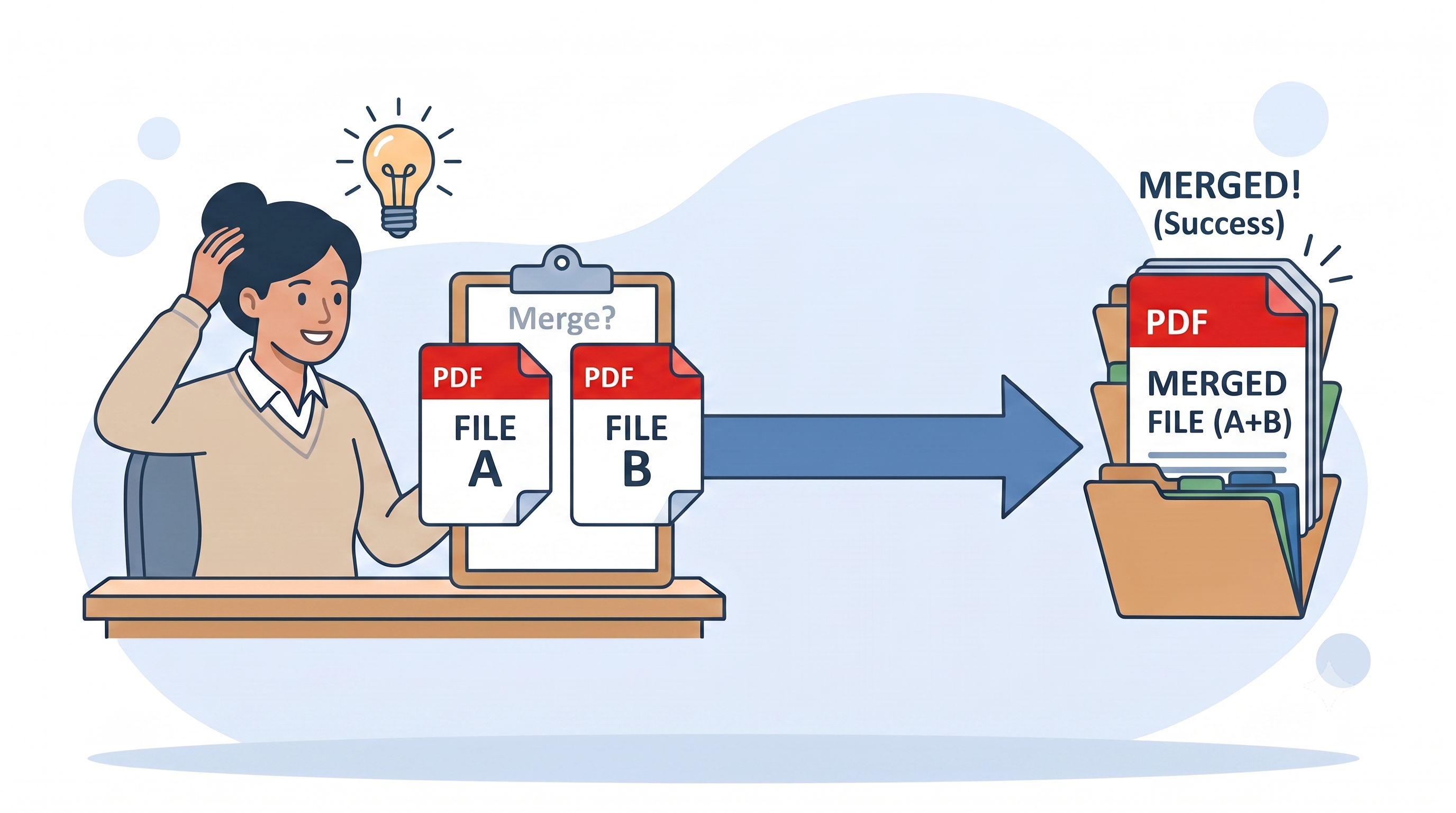
Meera runs freelance bookkeeping for six small clients. Every Friday, for each client, she generates two PDFs — an invoice and the signed payment receipt — and merges them into one file before archiving it. Same two documents, same order, every week, for every client. It's not a one-off task; it's a small habit repeated often enough that the only part she still thinks about is getting the order right and naming the file so she can find it at tax time.
That's the real profile of merge PDF usage we see in five-plus years of building and watching people use this exact tool: not an emergency, a routine. And the routine only breaks in one place — which is exactly where this guide spends most of its time.
Where Merging Actually Goes Wrong
Merging two PDFs looks like it should take thirty seconds, and with the right tool it does. But across the support inquiries and feedback we've collected, the same handful of problems show up again and again:
- Wrong upload order. The merged file follows upload order exactly — there's no way for a tool to guess which document belongs first. Reverse the two files and the final PDF starts with the wrong content.
- No reconciled formatting. If your two source documents use different fonts, margins, or templates, the merged file shows both, back to back, exactly as they were.
- No automatic bookmarks or table of contents. Combining two files into one PDF does not generate navigation — you get one continuous, searchable document, nothing more.
- Locked or restricted source files failing silently. Password-protected or permission-locked PDFs can merge incompletely or not at all.
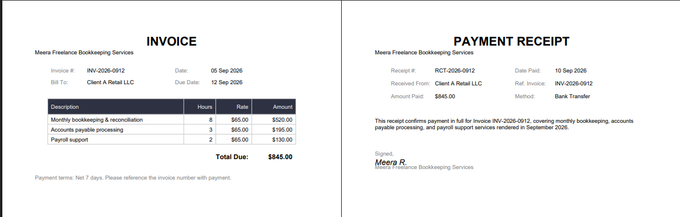
Take Meera's invoice and receipt as a concrete example — two simple, real documents, the kind that get merged every week in offices everywhere:
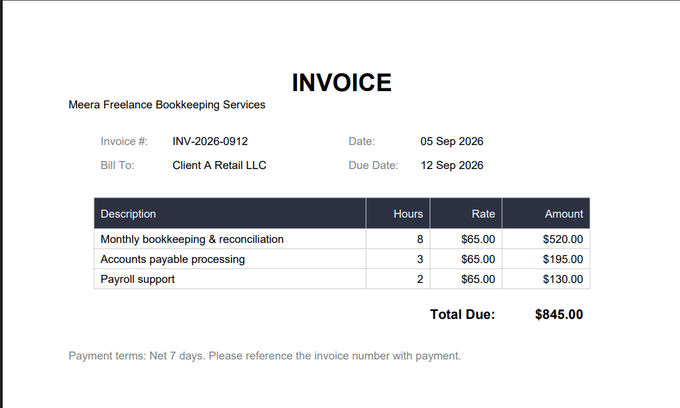
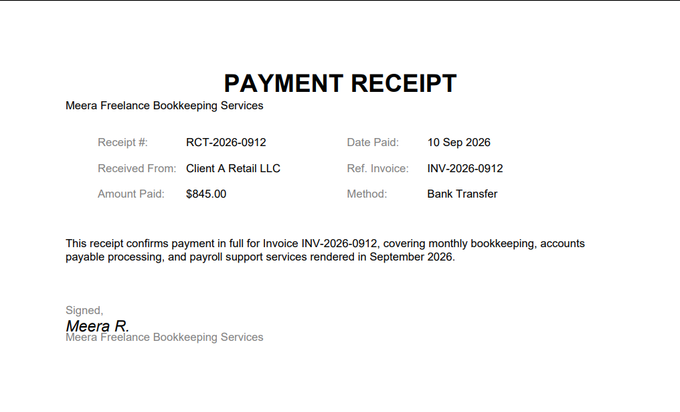
If Meera uploads these in the wrong order, or clicks Merge without checking, the archived file for Client A ends up starting with a receipt for a payment against an invoice the reader hasn't seen yet — a small thing, but the kind of small thing that looks careless six months later when she's pulling records for tax season.
What's Actually Fixed This
Most tutorials skip straight to "click this button." It's worth spending sixty seconds on what a merge actually does, because it explains both the risk above and the fix.
A PDF stores its content as a page tree — text, images, and layout, positioned and preserved as-is — along with a cross-reference table that maps it all together. Merging two files takes the page tree from File 1 and the page tree from File 2 and joins them into one new document, in upload order. Nothing is redrawn or reformatted: page 1 of the merged file is pixel-for-pixel what File 1 looked like on its own, and File 2's pages simply continue after it. The original files on your device are never touched — the merged output is a new file.
That explains why order matters so much: there's genuinely no way for the tool to know which file should come first. What used to mean a re-upload if you got it wrong is now a one-click fix — PDF Doctor shows you the upload order on a review screen before anything is combined, with up and down arrows to reorder and a remove button per file. The single most commonly reported mistake with merge tools now has an answer built directly into the flow, not just a warning to "be careful."
How to Merge Two PDFs With PDF Doctor (Free, No Account Required)
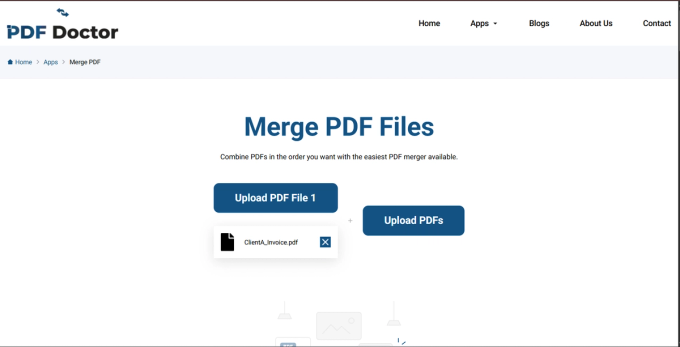
Step 1: Upload your first file
This is whichever document should appear first in the final PDF. For Meera, that's always the invoice.
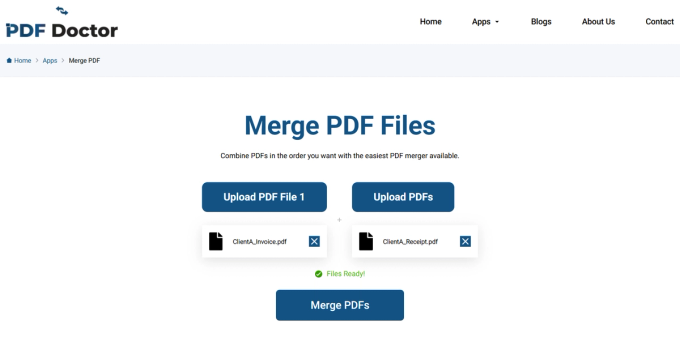
Step 2: Upload your second file
Once both slots show a file and PDF Doctor confirms "Files Ready!", the Merge PDFs button becomes active.
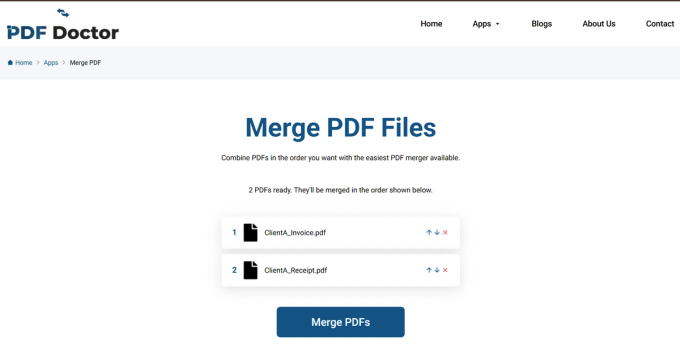
Step 3: Review the order, reorder if needed, then merge
Before anything is combined, PDF Doctor lists the files you uploaded — "2 PDFs ready. They'll be merged in the order shown below." Each row has an up arrow, a down arrow, and a remove (×). If the receipt landed above the invoice, fix it right here with one click instead of re-uploading anything.
Step 4: Preview, then download
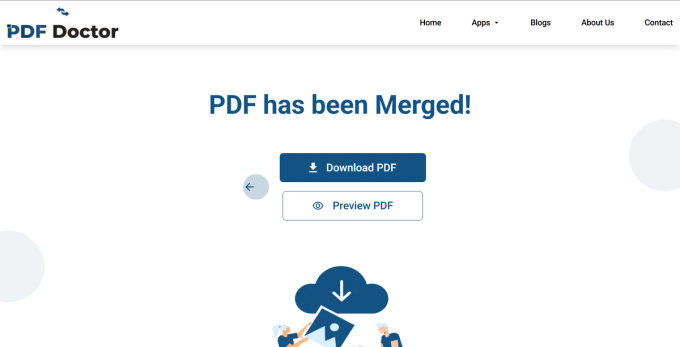
The page changes to "PDF has been Merged!" with two options: Download PDF, and Preview PDF if you want to check it in-browser first. Meera always hits Preview once before Download — confirming page 1 is really the invoice and page 2 is really the receipt catches the one mistake that's actually possible here, even after the reorder step already caught it once.
Here's what that confirmed result looks like for Meera's files — invoice on page 1, receipt following right after, exactly the order she uploaded them in:
What Merging Doesn't Include
Worth knowing before you build this into a routine: combining two files into one PDF doesn't add bookmarks or a clickable table of contents. You get one continuous document, searchable with Ctrl+F, but no navigation panel jumping between sections. For a short combination like Meera's two-page archive, that's not something you'd miss. If you're merging something longer and specifically need that navigation panel, Adobe Acrobat Pro or the free desktop tool PDFsam can add bookmarks as a separate step — merging alone doesn't.
When to Merge — and When Not To
Merging makes sense when two documents belong together and the recipient needs them as one file: a report with its appendix, multi-part form submissions, a cover page attached to a document body, or — like Meera — related records consolidated for archiving.
When merging is the wrong call: if the recipient only needs part of the content. A mistake we see often is someone merging a long master document with a short addendum, then sending the whole combined file when the recipient only needed the addendum. That's a splitting task, not a merging one. A useful test: does the recipient need everything in one place, or just a specific section? If it's just a section, split instead.
Merging also isn't a substitute for editing. If you need consecutive page numbers across both documents, an updated table of contents, or pages reordered from within each file, that's a full PDF editor's job, either before or after the merge.
Where This Tool Fits — and Where It Doesn't
Built for: straightforward two-file merges, done quickly in a browser, no setup — a student submitting a multi-part assignment, a freelancer combining a proposal and contract, or a bookkeeper archiving an invoice and receipt every Friday.
Better handled elsewhere: if you need to merge more than two files at once, tools like iLovePDF or PDF24 support batch merging. If you merge files constantly and want to work fully offline, PDFsam Basic is a solid free, open-source desktop option. If you need to merge programmatically as part of an automated workflow, a scripting library like pypdf or a command-line tool like qpdf will be more efficient. If your work requires on-premise processing for compliance reasons, a desktop or enterprise solution is the right call.
We'd rather point you to the right tool than have you use ours for something it wasn't built for.
Common Mistakes (And How to Avoid Them)
Uploading in the wrong order and skipping the review screen. The order mistake itself is now a one-click fix — but only if you glance at the numbered list before clicking Merge. Give it two seconds every time, not just at final download.
Assuming the merged file gets a table of contents. It doesn't — merging combines pages, it doesn't generate bookmarks. Plan a separate bookmarking step if you need one.
Expecting merging to fix inconsistent formatting. If your two source documents use different fonts or layouts, the merged PDF shows both, unchanged. Standardize the source templates first if visual consistency matters, or accept the difference for internal/archival use.
Merging locked or restricted files. Password-protected or permission-locked PDFs may merge incompletely. You'll need the document owner's password to remove restrictions first.
Deleting the source files right after merging. If you later realize you merged the wrong version of one file, you'll want the original back. Keep both source files until you've confirmed the merged output is correct.
Tips That Actually Work
Use the reorder screen — it's there so an upload-order slip costs one click, not a redo. Rename the merged file immediately with something that will still make sense in a month, not merged.pdf — Meera uses ClientA_Sept_Invoice_Receipt.pdf. If this is a task you'll repeat weekly or monthly, keep the same naming pattern every time so a folder full of merged files stays sortable instead of becoming its own filing problem.
Wrapping Up
Merging two PDFs is about as reliable as PDF tools get — the combination itself rarely goes wrong. What decides whether it's a two-second habit or a recurring annoyance is upstream of the click: knowing your file order, using the reorder screen when something's out of place, and previewing before you download. Get that much right once, and — like Meera does every Friday, six clients in a row — it stays right every time you do it again.
The tool used in this guide is available at pdfsdoctor.com/merge-pdf-edit.