Choosing between PDF, Word, and PowerPoint sounds like a decision that does not matter much. It is just a file format. But in five-plus years of working with document automation and PDF workflows, I have seen format choices cause real problems — a consultant who sent a Word file to a client and the layout broke on their machine, a student who submitted a PowerPoint when the professor required a PDF, a team that spent an hour reformatting a report because someone started it in the wrong application.
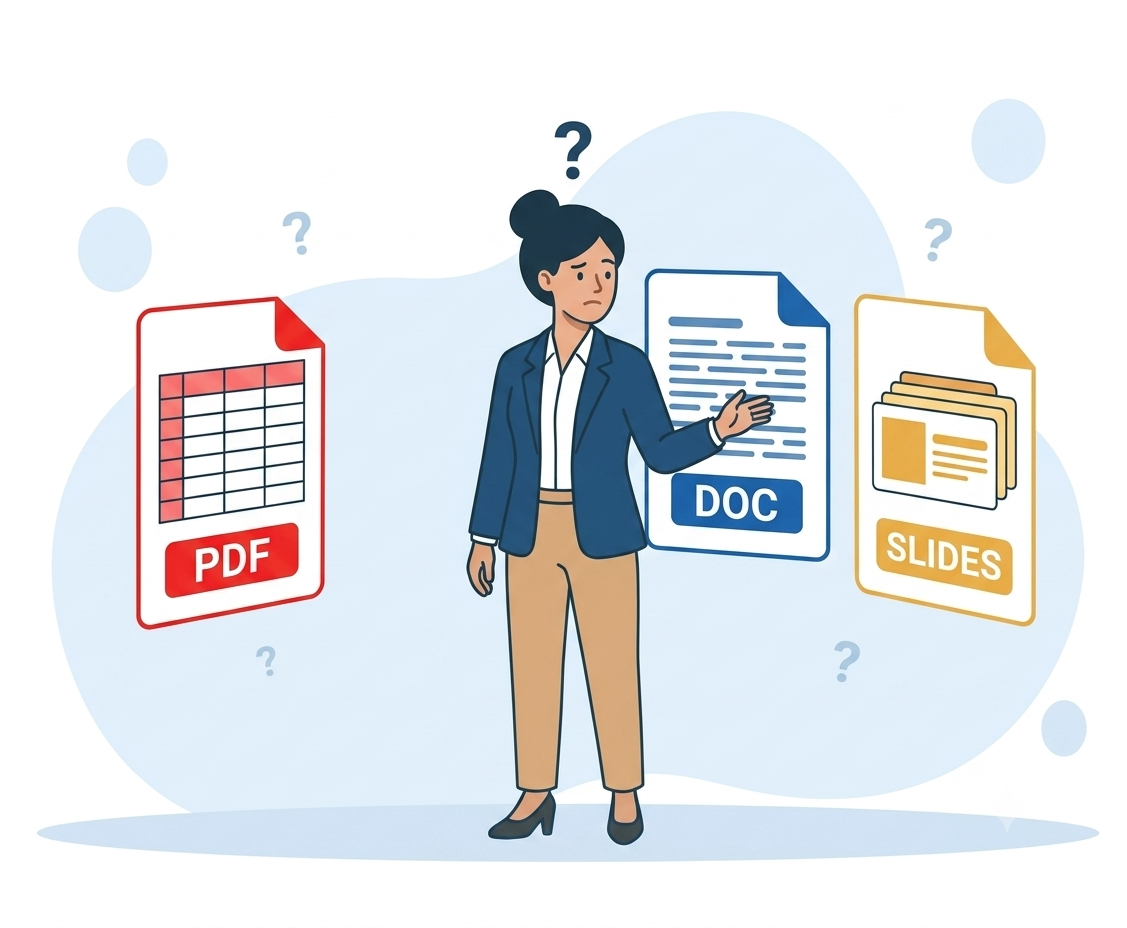
The format you choose affects whether your document can be edited, how it looks on someone else's device, and whether the recipient can even open it. These three formats — PDF, Word, and PowerPoint — each solve a different problem. Once you understand what each one is actually designed to do, the right choice becomes obvious in almost every situation.
This guide explains how each format stores content under the hood, gives you a simple decision framework for choosing between them, and walks through real workflows where all three formats work together.
How Each Format Actually Stores Your Content
This is the part most comparison guides skip, but it explains every behavioral difference you will ever notice between these formats.
Word (.docx) — a flowing, editable document.
A Word file stores your content as a structured stream of paragraphs, headings, tables, and images, controlled by styles and layout rules. The key characteristic: content flows. Change a font size, and every paragraph after it adjusts. Add a sentence to page 2, and pages 3 through 20 reflow automatically. This is what makes Word excellent for writing and editing — but it is also why the same Word file can look different on two different computers. If the recipient's machine has different fonts, a different version of Word, or even a different default paper size, the line breaks, page breaks, and spacing can shift.
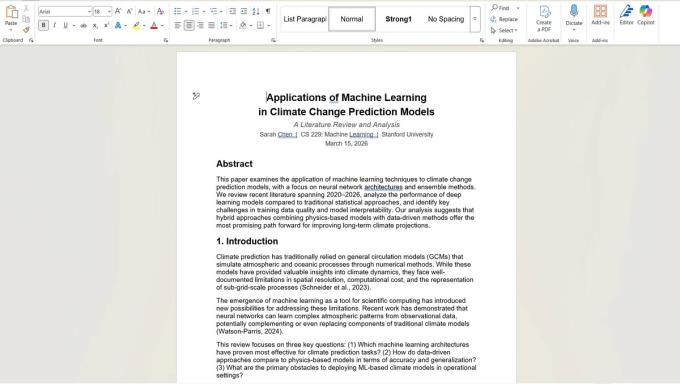
[Screenshot: Student report opened in Microsoft Word — editing toolbar visible, cursor active in the document, showing the editable nature of the format.]
Word also stores things that are not visible on the printed page: tracked changes, comments, document properties (author name, company, file path), and revision history. This is powerful for collaboration but can be a liability if you share the file without cleaning up internal edits.
PDF (.pdf) — a fixed, frozen snapshot.
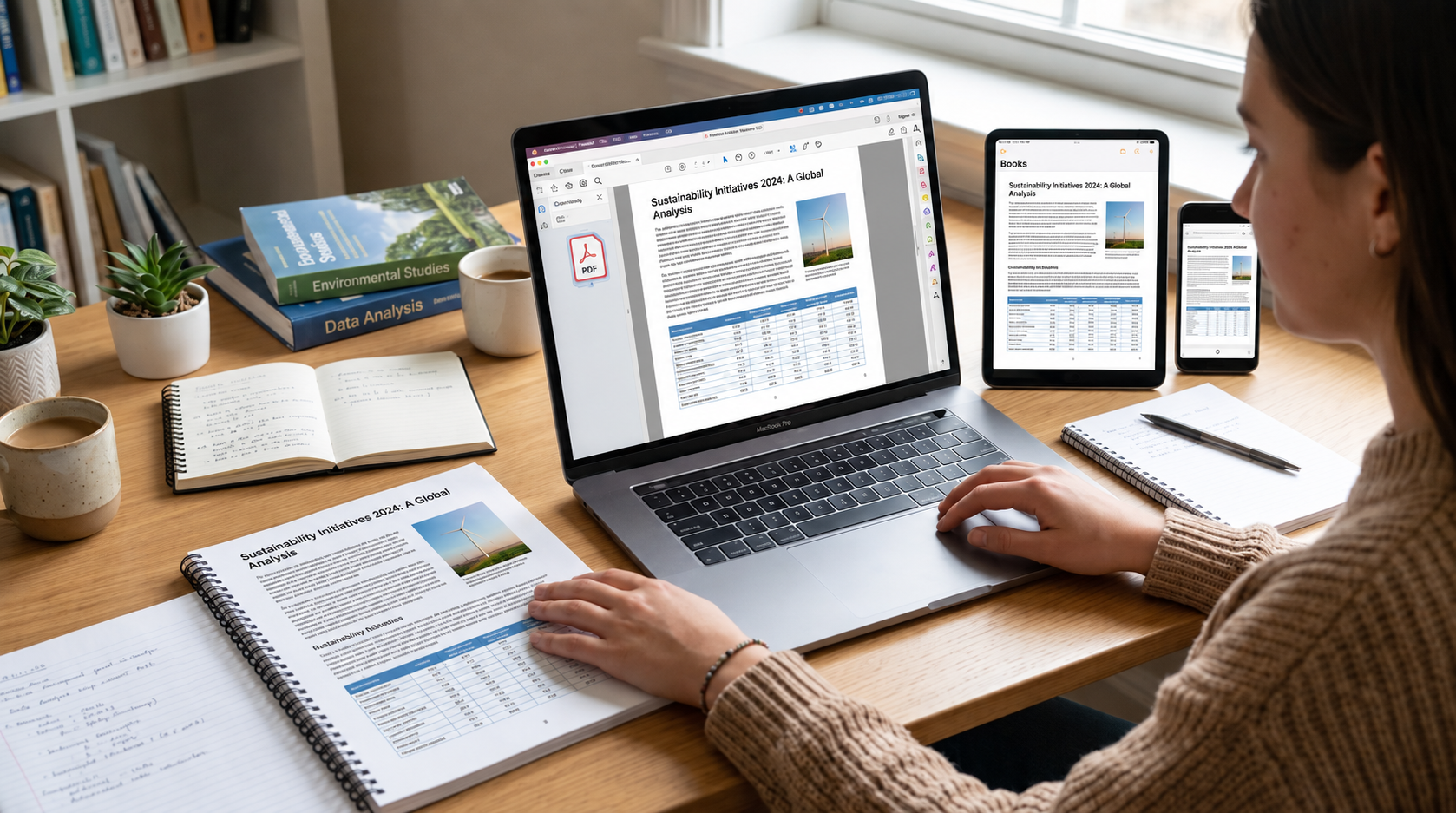
A PDF stores content as individually positioned objects on pages of exact dimensions. Every piece of text, every image, every line sits at fixed coordinates. There is no flowing, no reflowing, no adjustment. The document looks identical on every device, every operating system, and every screen size — because nothing adapts. It is a photograph of a finished document, stored as structured data.
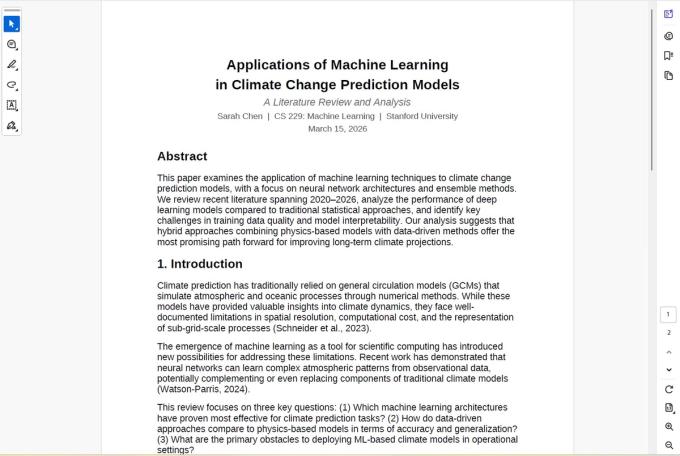
[Screenshot: The same student report opened as a PDF — identical content, but viewed in a PDF reader with no editing toolbar. The layout is locked.]
This is why PDF is the standard for sharing finished documents. A contract, a published report, a submitted assignment — anything where the recipient should see exactly what you intended, with no risk of accidental changes or formatting drift.
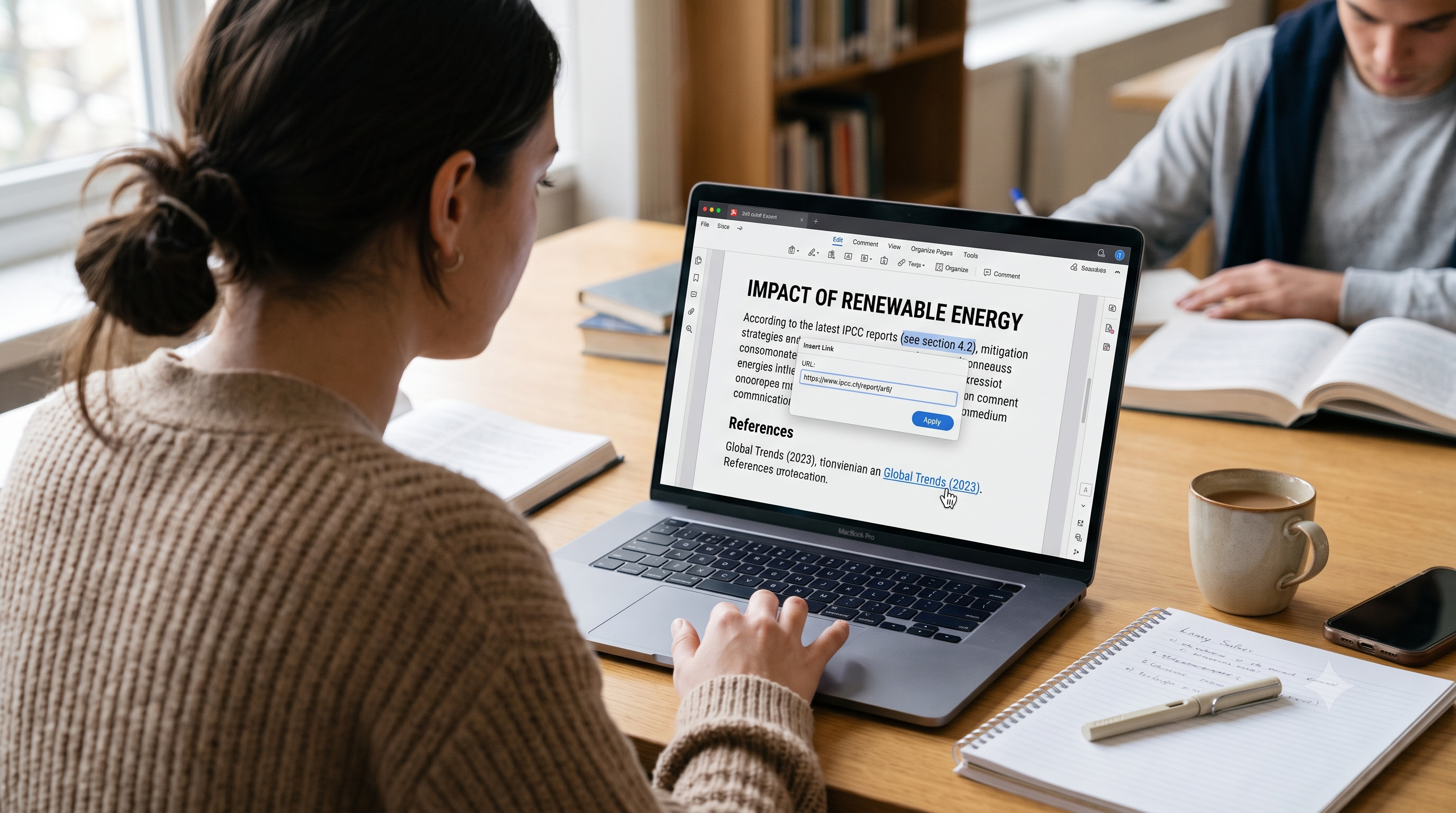
The tradeoff: PDFs are not designed to be edited. Changing text, images, or layout in a PDF requires specialized tools, and the results are often imperfect.
PowerPoint (.pptx) — a collection of visual canvases.
A PowerPoint file is fundamentally different from both Word and PDF. It stores a sequence of slides, each of which is a canvas containing independent objects — text boxes, images, shapes, charts — that you can position freely. There is no text flow between slides. Each slide is its own self-contained composition.

[Screenshot: Student presentation opened in PowerPoint — slide panel on the left showing all 6 slides, main editing area showing the title slide with navy background, coral accent bar, and positioned text elements.]
This makes PowerPoint ideal for visual communication — presentations, pitch decks, training materials — where information needs to be broken into digestible chunks and enhanced with visuals. It is the wrong tool for long-form documents because it has no paragraph flow, no automatic page numbering, and no way to manage continuous text across dozens of pages.
The Decision Framework: One Question, Three Answers
When you are deciding which format to use, ask one question: what does the recipient need to do with this file?
If they need to edit it → Word. Reports, proposals, drafts, collaborative documents, anything that will go through revisions. Word gives you tracked changes, comments, styles, and the ability to restructure content freely. Send it as .docx.
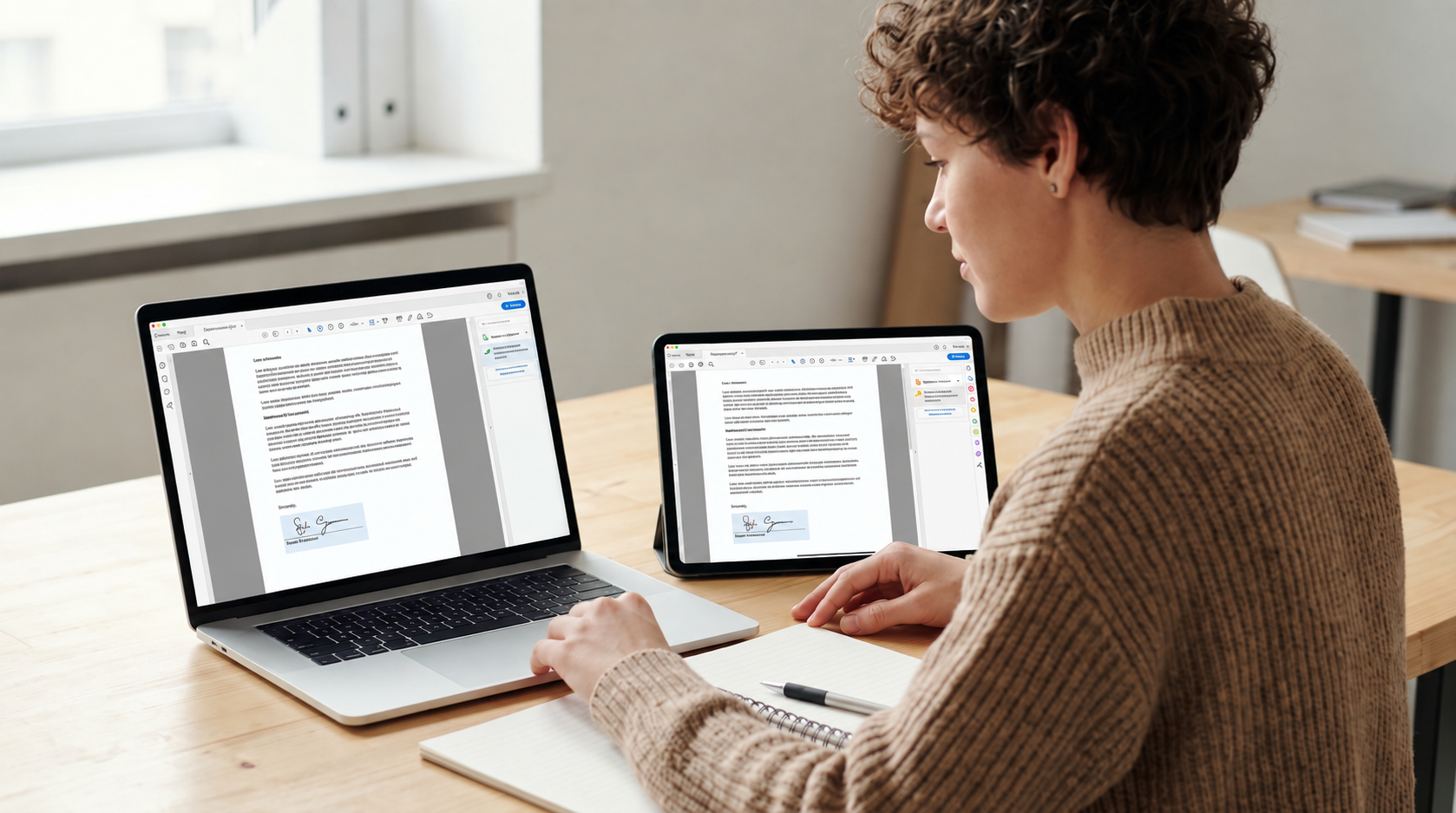
If they need to view, print, or archive it → PDF. Final versions of reports, signed contracts, submitted assignments, invoices, official records. PDF ensures the document looks identical everywhere and discourages accidental edits. Convert from Word or PowerPoint when the document is finished.
If they need to present it or view it as slides → PowerPoint. Meeting presentations, lecture slides, pitch decks, training materials. PowerPoint gives you animations, transitions, speaker notes, and a presentation mode designed for live delivery. Send as .pptx if the recipient will present from it; convert to PDF if they just need to view the slides.
That single question — edit, view, or present? — resolves the format choice correctly about 90% of the time. The remaining 10% involves edge cases covered below.
What Goes Wrong When You Pick the Wrong Format
These are mistakes I see regularly, and each one is entirely avoidable.
Sending a Word file when you should have sent a PDF.
This is the most common format mistake in professional settings. You finalize a report in Word, email the .docx file to a client or colleague, and they open it on a different computer. The fonts are different. The line breaks have shifted. A table that fit neatly on one page now spills onto the next. The document looks unprofessional — not because of your work, but because of Word's reflowing behavior.
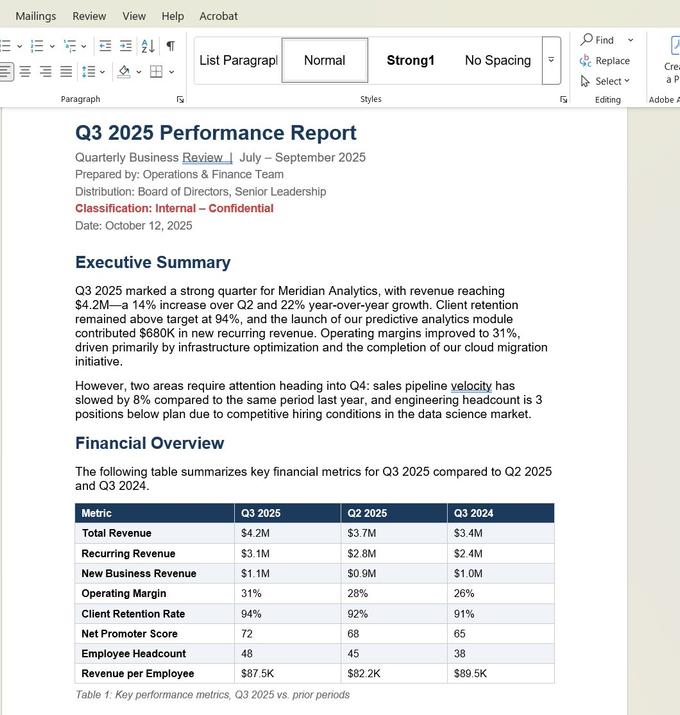
[Screenshot: Business report opened in Word — notice the editing toolbar, the editable table, and the formatting ribbon. This is what the sender sees.]
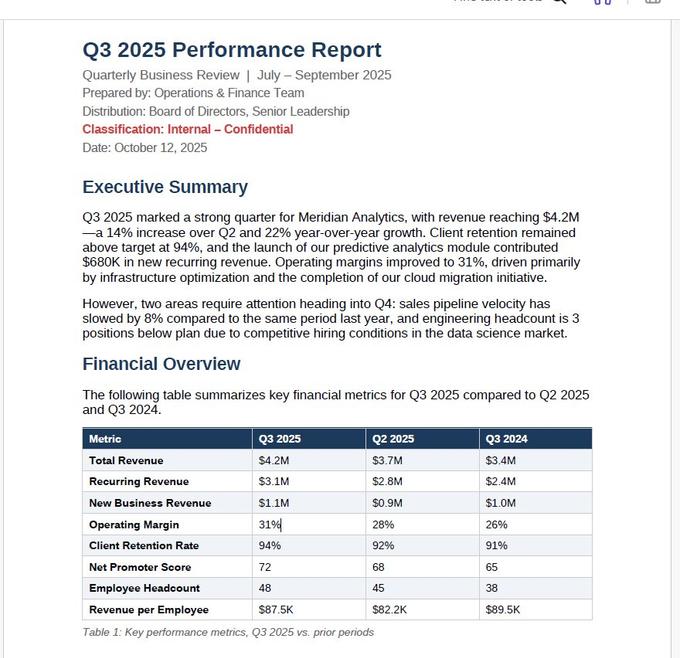
[Screenshot: The same business report opened as a PDF — same content, same table, but the layout is locked. This is what the recipient should receive.]
The difference between those two screenshots is the difference between a document that might shift and one that definitely will not. The fix is simple: always convert to PDF before sharing final versions.
A concrete example from our users: a freelance consultant sent a 12-page proposal as a Word file. The client opened it in Google Docs (not Microsoft Word), which substituted fonts and broke several tables. The client's first impression was that the proposal was poorly formatted. The consultant lost the project. A two-second conversion to PDF would have prevented it.
Using PowerPoint for a long document.
PowerPoint is designed for slides — short, visual, one-idea-per-page content. When people try to use it for a 20-page report with dense text, the result is unreadable. Text overflows slide boundaries, there is no automatic page numbering, and the recipient has to click through dozens of slides to read what should be a scrollable document.
If your content is mostly text with some tables and images, use Word. Convert to PDF when it is finished. Save PowerPoint for content that is genuinely meant to be presented to an audience.
Sending a PDF when the recipient needs to edit.
This is the reverse of the first mistake. Someone asks for a document they can modify — add their own data, update a section, incorporate it into their own work — and you send a PDF. Now they have to convert it back to Word (losing some formatting in the process) before they can make any changes.
If the recipient needs to edit, send the Word file. If they need both — an editable version and a final version — send both.
Real Workflow: Student Assignment
Here is how the same content moves through all three formats in a real academic workflow, using the documents we created for this guide.
Step 1: Write in Word. The student writes a research paper in Microsoft Word — "Applications of Machine Learning in Climate Change Prediction Models." Word is the right tool here because the paper goes through multiple drafts, the student needs heading styles for structure, and the professor may request tracked changes for revisions.
Step 2: Submit as PDF. When the paper is finished, the student converts it to PDF before submitting. This ensures the professor sees exactly the same formatting regardless of what software or operating system they use. No font substitution, no shifted tables, no layout surprises.
Step 3: Present as PowerPoint. For the class presentation, the student pulls key findings from the paper into a slide deck — research questions, methodology summary, results table, and conclusions. The same data that filled two pages of prose in the report becomes six focused slides with visual hierarchy, stat cards, and concise bullet points.
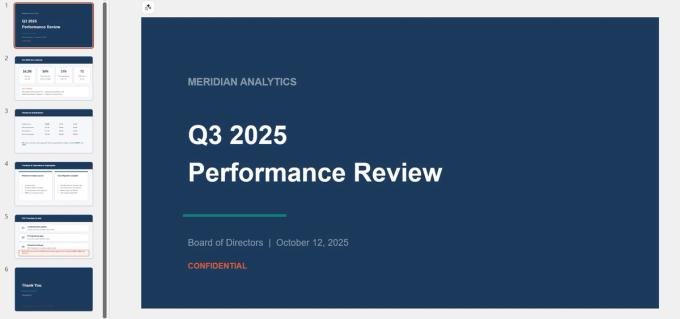
[Screenshot: Student presentation in PowerPoint — the same research content restructured for visual presentation, with stat cards for methodology, a comparison table for results, and a navy/coral design theme.]
Three formats, one project, each format doing what it does best: Word for writing, PDF for submitting, PowerPoint for presenting.
Real Workflow: Business Quarterly Report
The business workflow follows the same pattern but with higher stakes and more people involved.
Step 1: Draft in Word. The operations team writes the Q3 performance report in Word. Multiple people contribute sections. The manager reviews with tracked changes and comments. Word handles this collaboration natively.
Step 2: Distribute as PDF. Once the report is approved, it is converted to PDF and sent to the board of directors and the client. The PDF ensures the financial tables, the "Confidential" classification, and the overall layout appear exactly as intended on every device. No one can accidentally edit the numbers.
[Screenshot: Business report as PDF — the same quarterly report with locked layout, financial table intact, confidential marking visible. This is the version that goes to the board.]
Step 3: Present as PowerPoint. For the board meeting, the team builds a summary deck pulling the key metrics, revenue breakdown, product highlights, and Q4 priorities from the report into a structured presentation with metric cards and visual hierarchy.
[Screenshot: Business presentation in PowerPoint — the same Q3 data restructured as a board deck with metric cards showing $4.2M revenue, 94% retention, 31% operating margin, and 72 NPS.]
The report and the deck contain the same information, but they serve different purposes: the report is the complete record, the deck is the conversation starter.
When to Convert Between Formats
Format conversion is the bridge between these workflows. Here is when each conversion makes sense, with links to our detailed guides.
Word → PDF — When the document is finished and ready to share. The most common conversion. Convert here
PDF → Word — When you receive a PDF that needs editing and you do not have the original Word file. Expect some formatting cleanup after conversion. Convert here
PowerPoint → PDF — When you want to share slides with someone who does not have PowerPoint, or when you want to lock the content against edits. Note: animations and transitions will be lost. Convert here
PDF → PowerPoint — When a document contains content you want to present and you need it in slide format. The output will need restructuring — conversion gives you raw material, not a finished deck. Convert here
Common Misconceptions
"PDF is always the best format." PDF is the best format for sharing finished documents. It is the wrong format for documents that need editing, collaboration, or live presentation. Each format has a purpose.
"Word and PDF look the same." They often look similar, but the underlying behavior is completely different. Word reflows — the same file can look different on different machines. PDF is fixed — it looks identical everywhere. This difference matters most when sharing with external recipients whose setup you do not control.
"PowerPoint is just for presentations." Mostly true, but PowerPoint is also used for one-pagers, posters, and visual documents where precise object placement matters more than text flow. If your content is primarily visual and fits on a single page or a handful of pages, PowerPoint can be the right tool even without a live presentation.
"You can edit PDFs just like Word files." You can make small edits to PDFs with specialized tools, but it is not the same experience. PDFs do not have paragraph flow, styles, or tracked changes. For anything beyond a minor text correction, converting to Word, editing there, and re-exporting to PDF is more practical.
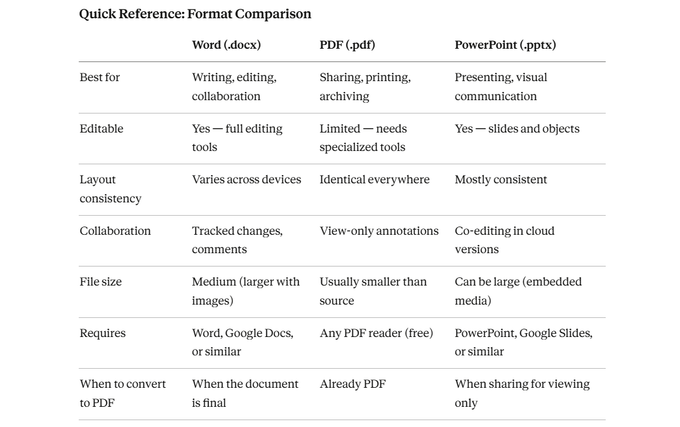
Please also review this screenshot for side by side comparision of each format file.
Wrapping Up
Choosing the right format is not about which one is "best" — it is about matching the format to the task. Word is for creating and editing. PDF is for sharing and preserving. PowerPoint is for presenting and visualizing. When you need to move content between these purposes, conversion bridges the gap.
The single most impactful habit: always convert to PDF before sharing a finished document externally. That one step prevents the majority of formatting problems people encounter when working across different devices and software.
All three formats work together, not in competition. The workflows in this guide — write in Word, submit as PDF, present in PowerPoint — represent how documents actually move through academic and professional settings. Understanding the strengths and limits of each format lets you choose confidently every time.
Conversion tools for all format combinations are available at https://pdfsdoctor.com/.