JPG to PDF
Convert multiple JPG and PNG images into a single multi-page PDF
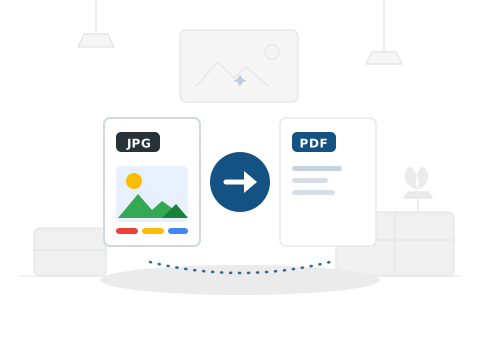
How to Convert JPG to PDF
Combine your JPG images into a single, organized PDF document.
Step1

Upload your JPG images.
Step2

We arrange them into a PDF.
Step3

Download your PDF file.
Frequently
Ask a Question

Is this JPG to PDF converter free?
Yes — 100% free. No signup, no hidden fees, no watermarks.
Will my image quality be preserved?
Yes. PDF Doctor maintains the original resolution and quality of your images in the converted PDF.
Is my file safe to upload?
Yes. Files are processed on secure Google Cloud servers and deleted within 24 hours. We never read or share your content.
What image formats are supported?
PDF Doctor accepts JPG, JPEG, and PNG image files.
Why convert images to PDF?
PDFs are ideal for sharing and printing images because they maintain quality and are universally viewable on any device.
JPG to PDF: The Complete Guide
What Is JPG to PDF Conversion?
Converting a JPG (or PNG) image to PDF packages your image file into a PDF document. The resulting file is professional, printable, universally viewable, and easily shareable — without the compatibility questions that sometimes arise with raw image files.
The need comes up constantly: a scanned document saved as an image that needs to be submitted as a PDF, a photograph of a signed form, a collection of images that need to be combined into a single document, or any image that needs to be in PDF format for a submission or filing.
How to Convert JPG to PDF Using PDF Doctor — Step by Step
Step 1: Upload your JPG or PNG image. You can convert individual images or upload multiple images to be combined into a single PDF.
Step 2: Click Convert. The image is embedded into a PDF at its original quality.
Step 3: Download your PDF. The image is now in a professional, submittable PDF format.
Real Use Cases
Submitting scanned documents: When you scan a physical document with your phone or a scanner and save it as an image, converting it to PDF is the standard requirement for most official submissions — job applications, government forms, legal filings.
Combining multiple images into one document: Photographing each page of a multi-page document and converting all the images to a single PDF is a fast way to digitise physical documents without a flatbed scanner.
Professional image distribution: Photographers and designers sometimes share work as PDF rather than raw image files for easier viewing and consistent colour rendering across devices.
Tips
Start with the highest quality image you have. JPG compression is lossy — converting a heavily compressed JPG to PDF does not recover the quality that was lost during compression. For document scanning with a phone, most modern camera apps produce sufficient quality at default settings.
Orientation matters. If your image is landscape but you want a portrait PDF page (or vice versa), check your image rotation before converting. Most phone cameras capture in the orientation the phone was held.
Multiple Images into One PDF
PDF Doctor supports uploading multiple images at once to combine them into a single multi-page PDF. Each image becomes its own page. This is particularly useful when you have photographed each page of a multi-page document with your phone and need to assemble them into one cohesive file for submission or archiving.
When combining multiple images, verify that they are in the correct order before uploading. The pages in the resulting PDF will follow the order in which the images were selected. If the final PDF has pages in the wrong sequence, re-upload the images in the desired order rather than trying to rearrange them after conversion.
File size considerations: High-resolution photographs can produce large PDF files. If the resulting PDF is too large for your needs — for example, if an email attachment limit prevents you from sending it — consider reducing the image resolution before conversion or using a PDF compression tool after conversion.
Why Choose PDF Doctor?
Editorial-grade document processing suite designed for speed and uncompromising security.
100% Free
No subscriptions, no credit cards, no hidden fees. Premium processing for all.
No Signup
Instant access. Just upload and convert without account creation friction.
Secure & Private
Privacy is our priority. All files are automatically deleted within 24 hours.
No Watermarks
Clean, professional output every time. No intrusive branding on documents.
Any Device
Browser-based excellence. Nothing to install, works perfectly on any screen.