PDF to PDF/A
Convert your PDF to archival-ready PDF/A format for long-term document preservation
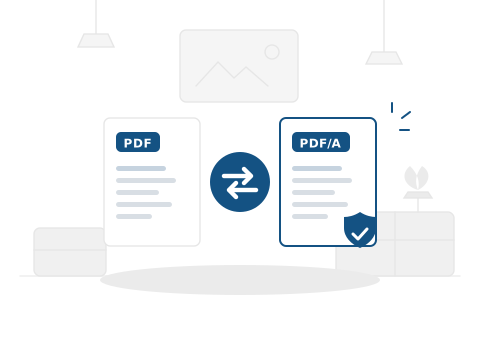
How to Convert PDF to PDF/A
Create archival-ready PDF/A documents in three simple steps.
Step1

Upload your PDF file.
Step2

Click Convert to PDF/A.
Step3

Download your PDF/A file.
Frequently
Ask a Question

Is this PDF/A converter free?
Yes — 100% free. No account needed, no watermarks, no limits.
What is PDF/A?
PDF/A is an ISO-standardised version of PDF designed for long-term digital preservation of documents. It ensures documents remain viewable and reproducible regardless of the software or operating system used in the future.
Which PDF/A version does this tool produce?
This tool converts to PDF/A-2b, the most widely accepted conformance level. It is compatible with most archiving systems, government portals, and regulatory filing requirements.
Is my PDF safe to upload?
Yes. Files are processed on secure Google Cloud servers and deleted within 24 hours. We never share your content.
Will the PDF/A look different from my original?
No. The visual content — text, images, and layout — remains identical. PDF/A conversion adds archival metadata and standardisation without changing the document’s appearance.
PDF to PDF/A: Everything You Need to Know
What Is PDF/A and Why Does It Matter?
PDF/A (PDF for Archival) is an ISO standard (ISO 19005) designed to ensure that digital documents can be reproduced exactly the same way in the future, regardless of what software or systems are available. It does this by requiring that everything needed to display the document — fonts, colour profiles, metadata — is embedded within the file itself.
Standard PDFs can reference external resources (fonts on the viewer’s system, colour spaces, etc.). If those resources become unavailable years later, the document may not display correctly. PDF/A eliminates this risk by making the file entirely self-contained.
How to Convert PDF to PDF/A — Step by Step
Step 1: Upload your PDF. Click the upload button or drag your file onto the page.
Step 2: Convert. Click “Convert to PDF/A” and the tool processes your file, adding the required archival metadata and output intent.
Step 3: Download. Your PDF/A-2b compliant file is ready for download, archiving, or submission.
Real Use Cases
Government and regulatory filing: Many government agencies and courts require document submissions in PDF/A format to ensure long-term accessibility of filed records.
Corporate document archiving: Companies with document retention policies use PDF/A to ensure contracts, financial statements, and compliance records remain readable for decades.
Library and academic preservation: Digital libraries and research institutions archive scholarly papers and historical documents in PDF/A to guarantee future accessibility.
Tips
Convert before archiving, not after. Apply PDF/A conversion as part of your filing workflow — before the document enters your archive or document management system.
Keep the original. PDF/A conversion is a one-way process optimised for preservation. Keep a copy of the original PDF in case you need to edit the document later, since PDF/A files are intended to be final, read-only records.
Why Choose PDF Doctor?
Editorial-grade document processing suite designed for speed and uncompromising security.
100% Free
No subscriptions, no credit cards, no hidden fees. Premium processing for all.
No Signup
Instant access. Just upload and convert without account creation friction.
Secure & Private
Privacy is our priority. All files are automatically deleted within 24 hours.
No Watermarks
Clean, professional output every time. No intrusive branding on documents.
Any Device
Browser-based excellence. Nothing to install, works perfectly on any screen.